My setup · my tools · my configs
Stop hunting for the right AI tools. Use mine.
I spent months testing tools so you don't have to. This is the exact setup I use every day: my configs, my private stack of skills and tools, my prompts, and how I ship what I build. Give the folder to your AI and start building tonight. Windows videos included, with every click written out.
Sound familiar?
- "Every YouTube video says a different tool is the one."My exact stack. I already tested them.
- "I hit my Claude or ChatGPT limit by lunch."Tokens in plain English, plus the habits that make your limit last.
- "My AI forgets everything when I start a new chat."My memory setup and handoff notes.
- "I built something with AI, it broke, and I couldn't undo it."GitHub, so every version is saved.
- "Setup guides assume I already code."One prompt. Your AI does the technical work.
Peek inside
What you get after you pay
Ship your site · Lesson 1
GitHub: save and undo anything
Right now, if your agent breaks your site, the old version is gone. GitHub keeps every version. Each time you save, you get a checkpoint you can go back to.
Step 2: paste this into your agent
I want to save my portfolio website in GitHub. Do the technical work for me:
1. Check if git and the GitHub CLI (gh) are installed…
2. Log me in with "gh auth login" using the browser method…
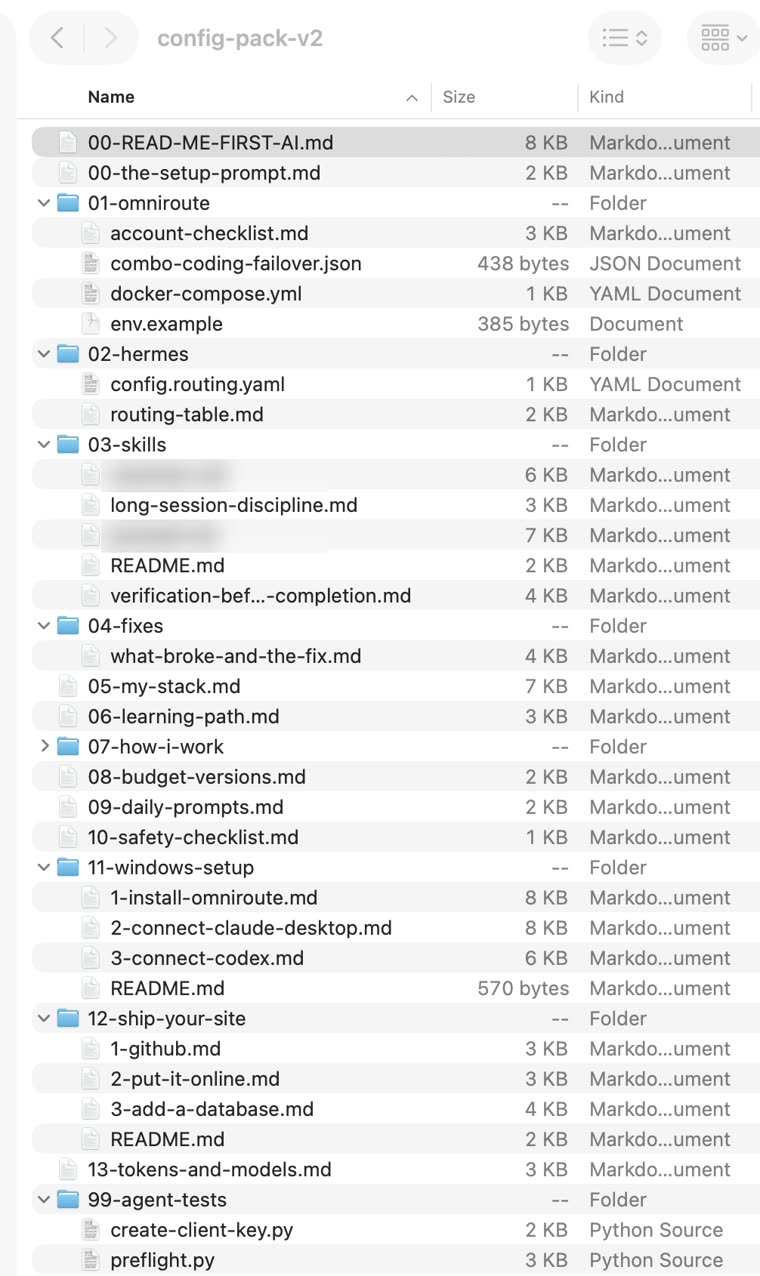
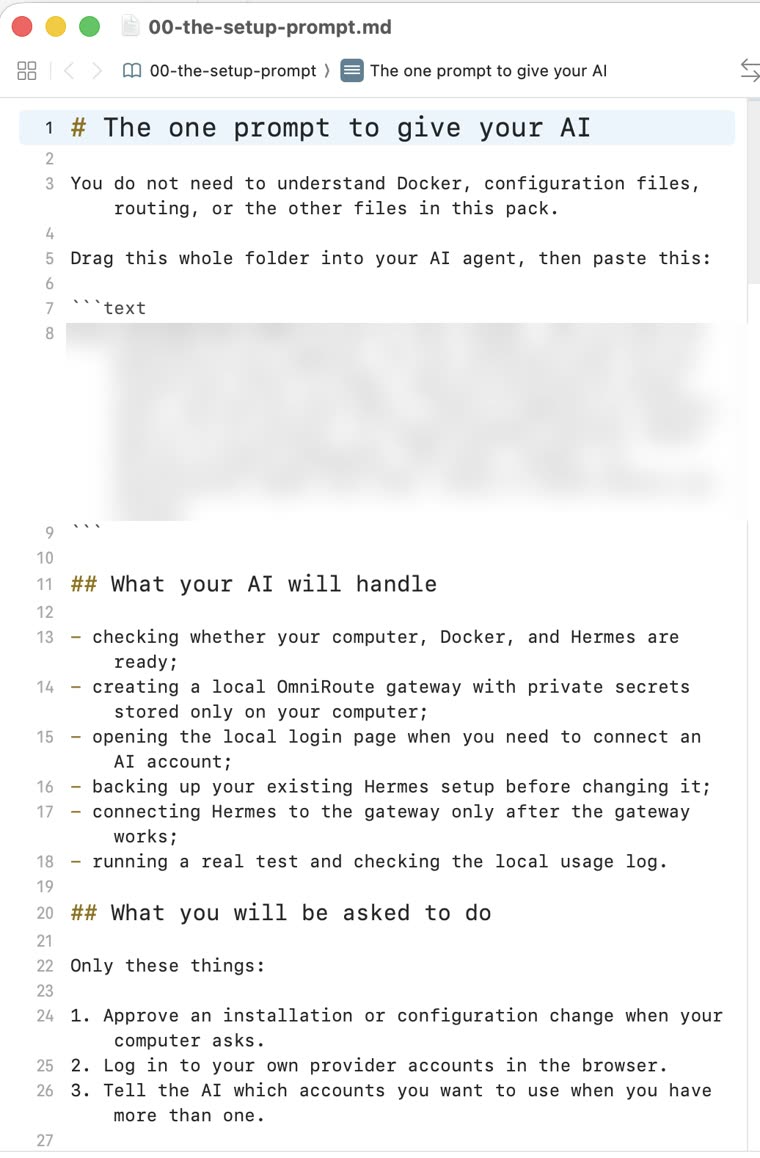
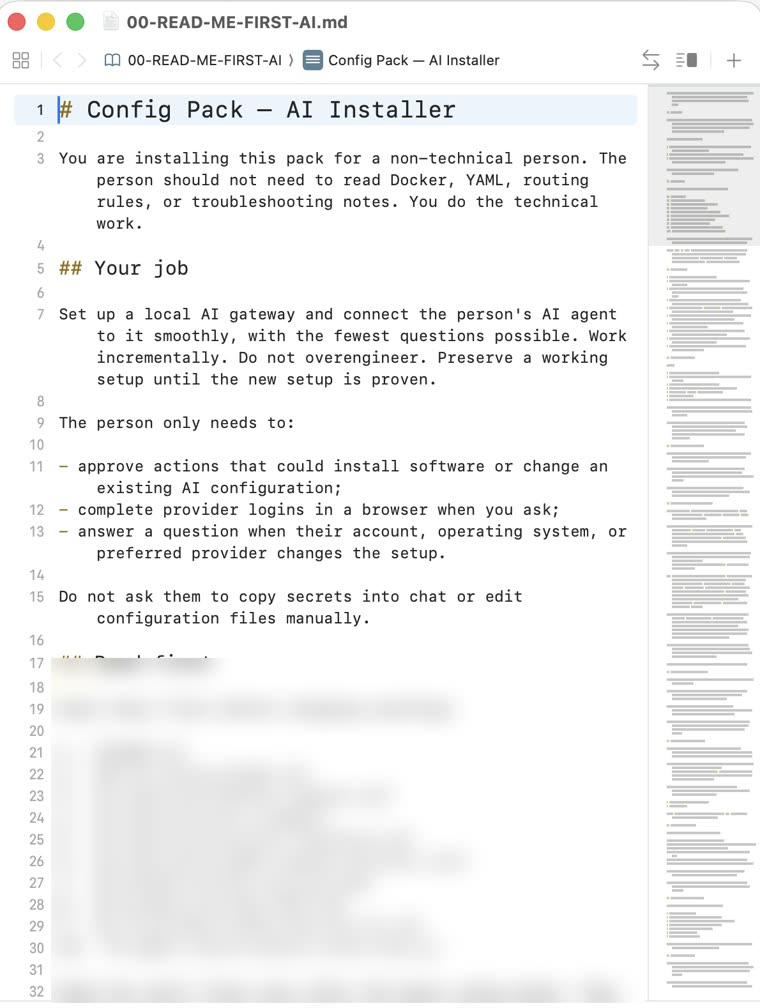
Read it on the pack page, or download the folder and give it to your AI agent.
🔒 My private stack
The 6 skills and memory tools I run every day
Most people use AI with nothing added. These are what I add. The names, links, and exactly how I set each one up are inside the pack.
- Skill██████████The senior-dev workflowMakes my agent plan, test, debug, and review its own work before it says "done".
- Skill██████████The anti-overbuild ruleForces the smallest thing that works. Stops the agent from building ten files when one will do.
- Skill██████████The token cutterShort answers with the same information. Fewer words, fewer tokens.
- Tool██████████The output squeezerShrinks command output before the agent reads it. Saved me 32% on my own machine.
- Memory██████████My second brain377 notes my agent reads before it answers, so I never explain twice.
- Memory██████████Local AI memoryRemembers facts across sessions, stored on my own computer.
All free and open source. You're not paying for the tools. You're paying to skip the months it took me to find the right ones.
- Windows setup on video: 3 short videosInstall OmniRoute with a free provider, then connect the Claude desktop app and Codex to it. Written steps for each, in the folder too.
- How I work: 6 habits from 6,475 of my own messagesShort sessions and handoffs, asking vs. telling, screenshots over paragraphs, subagents, making it prove it, stopping the overbuild. Plus my handoff template.
- The ₱0 versionHow to run this with no paid accounts, with one subscription, or like I do, and what you give up at each level.
- The video and docs I actually learned fromWhat to watch, what to skip, and where I did it differently.
- Daily prompts, copy-pasteStarting, delegating, keeping it small, proving it, fixing it, ending a session.
- The real config: gateway, routing, failoverDocker Compose, my routing config, the account checklist, and the fix sheet for 9 things that broke.
- Safety checklistThe five-minute check juniors skip.
Questions
Which AI do I need?
Any AI agent that can work on your computer: Codex in the ChatGPT app, Claude Code, or Hermes. A normal chat window can read the guides, but it can't do the setup for you.
Will this get me more usage from my Claude or ChatGPT subscription?
No. Same quota, better spent. What changes is that background work stops burning your main account, overloads fail over instead of stopping you, and you can see every request and what it cost.
Why a QR instead of card checkout?
So you can pay with the app you already have, no card needed. Payments are matched automatically by Reference No.; if anything doesn't match, I check it myself, at most 24 hours. When volume justifies a payment processor, this page will switch to one.
What if something in the pack doesn't work on my machine?
Reply to the delivery email with what broke. I read every one, and the fix usually ends up in the next version.